

Home Dispatch Office Setup 2026 — Everything You Need to Launch a Professional Dispatch Operation From Day One

One of the most common questions new dispatchers ask is what they actually need to get started — what equipment, what software, what communication tools, and what workspace setup allows them to operate professionally from day one. The answer is simpler than most people expect. You do not need a commercial office, expensive server infrastructure, or a large upfront investment to run a professional dispatch operation. What you need is the right combination of reliable hardware, the correct software subscriptions, a professional communication setup, and a workspace organized for focused productive work.
This guide covers every element of the professional home dispatch office setup for 2026 — what is essential, what is useful but optional, what is a waste of money early on, and how to organize your workspace to support the kind of focused high-volume broker calling and carrier management that a successful dispatch operation requires.
💡 The Setup Principle: Your office setup should support your work — not impress people who never see it. A fast reliable computer, a quiet professional calling environment, and the right software subscriptions will produce better results than an elaborate setup that looks impressive but does not improve your actual dispatching performance.
The Essential Hardware — What You Cannot Operate Without
Primary Computer — Minimum Specs for 2026
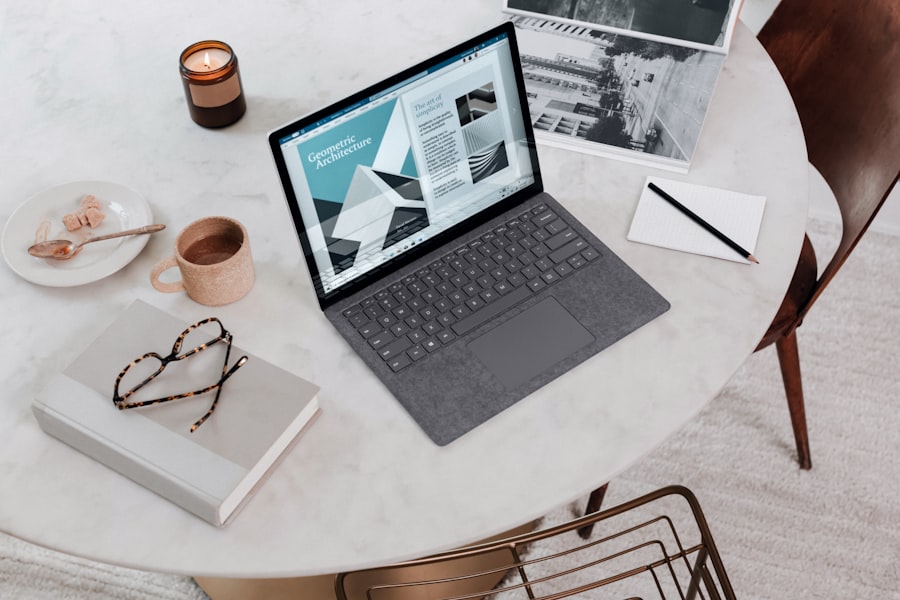
Your computer is your most critical piece of equipment. At minimum you need a machine running Windows 10 or 11 with 8GB of RAM — 16GB is strongly preferred. You will simultaneously run a browser with multiple DAT or Truckstop tabs, your TMS software, email, your CRM, and potentially a VoIP calling application. Machines below 8GB RAM struggle with this combination and slow performance costs you real time and real loads when the market is moving fast. A reliable mid-range laptop or desktop purchased new or refurbished in the PKR 80,000 to 150,000 range handles all dispatch requirements comfortably.
Dual Monitor Setup — The Productivity Multiplier
A second monitor is the single highest-impact hardware upgrade for dispatchers. Running DAT on one screen while managing your TMS and broker calls on the other eliminates the constant tab-switching that breaks focus and slows load processing. A 24-inch secondary monitor costs PKR 25,000 to 45,000 and recovers that cost within the first month through improved efficiency. If you are operating with a single screen and have not added a second monitor yet, this is your most important near-term equipment investment.
Headset — Your Professional Communication Tool
Broker calls conducted on speakerphone in a noisy environment sound unprofessional and create communication errors that cost you loads. A quality wired or wireless headset — in the PKR 8,000 to 20,000 range — provides clear two-way audio, keeps your hands free for typing during negotiations, and eliminates the background noise that makes broker calls sound amateur. Noise cancellation is highly valuable if your home environment has ambient noise from family, traffic, or other sources.
Internet Connection — Reliability Over Speed
Your internet connection must be reliable — not necessarily the fastest available, but one that does not drop during broker calls or fail during load board searches. A dropped call during rate negotiation is a lost load. Minimum requirement is a stable 10 Mbps connection. If your primary connection is unreliable, budget for a mobile data backup — a 4G or 5G hotspot that activates immediately if your primary connection fails. Connection failures are entirely preventable operational problems that a backup connection eliminates completely.
US Phone Number — Your Professional Identity
Brokers receive calls from Pakistan-based dispatchers regularly — but they need to see a US number on caller ID, not an international number that many American brokers will not answer. A Google Voice number, a VoIP service like Grasshopper or RingCentral, or a US SIM forwarding service provides you with a professional US phone number for a monthly cost of $10 to $30 USD. This is a non-negotiable element of the professional Pakistan-based dispatcher setup — without a US number your answer rate on broker cold calls drops dramatically.
Essential Software Subscriptions — Your Monthly Operating Stack

Load Board — DAT One or Truckstop
DAT One is the industry standard load board for professional dispatchers. The basic plan starts at approximately $45 USD per month and provides access to the largest load posting database in US trucking, lane rate history, broker credit scores, and carrier search tools. Truckstop is the second major platform at a similar price point with strong broker contact features. Most professional dispatchers use DAT as their primary board. Starting with DAT One is the correct choice for new dispatchers.
TMS — Transportation Management System
A TMS is your operational hub — where you create loads, track carriers, manage documents, and generate invoices. For new dispatchers AscendTMS offers a free starter tier that covers the basics. As your carrier count grows, paid TMS options like Alvys, Rose Rocket, or Trulos provide automation features worth the monthly investment. Do not manage loads in spreadsheets beyond your first two or three carriers — the organizational breakdowns that occur at four or five carriers without a TMS are costly and stressful.
VoIP Calling Service
Your US phone number and calling service should be a VoIP platform that provides call recording, voicemail transcription, and call history logging. Google Voice is free and functional for early-stage dispatchers. Grasshopper at approximately $26 USD per month adds features like multiple extensions, call forwarding, and professional hold music that signal a more established operation. Call recording is particularly valuable — reviewing your own broker calls identifies negotiation habits you cannot hear in the moment.
CRM — Broker and Carrier Contact Management
A CRM keeps your broker contacts, call notes, rate history, and relationship status organized in one searchable system. HubSpot CRM is free and professional-grade for dispatch operations with up to 50 active broker contacts. Notion or Airtable work well as lightweight alternatives. Whatever system you choose, use it consistently from day one — a CRM with 6 months of broker interaction history is a genuine competitive asset. A dispatcher who cannot find a broker's direct extension when they need to call quickly is losing efficiency every single day.
Your Workspace — The Physical Environment That Supports Focus
Dispatching is mentally demanding work that requires sustained concentration across long blocks of time — broker negotiations, load tracking, carrier communication, and documentation management all happening simultaneously. A workspace that supports this level of focus is not a luxury. It is a professional requirement that directly affects your performance and your income.
The minimum workspace requirements are a dedicated desk separate from your household's general activity area, a chair that supports extended sitting without physical fatigue, adequate lighting that reduces eye strain during long screen sessions, and acoustic separation from household noise during calling hours. You do not need a separate room — but you do need a space where you can conduct professional broker calls without background noise and work for four to six hours without interruption.
✅ The Professional Calling Environment Test: Before making your first broker call, record a 60-second test call using your headset in your workspace. Listen to the playback. Does it sound like a professional office call? Is there background noise? Does your voice sound clear? Would a US broker assume they were talking to a professional dispatching service? If the answer to any of these questions is no, fix the environment before calling brokers — first impressions in audio are as powerful as first impressions in person.
Home Dispatch Office Setup — Core Checklist
- Computer with minimum 8GB RAM — 16GB preferred — capable of running DAT, TMS, email, and CRM simultaneously
- Dual monitor setup — the highest-impact efficiency upgrade available to any dispatcher
- Quality headset with noise cancellation for professional broker calls
- Reliable primary internet connection plus mobile data backup for connection failures
- US VoIP phone number — non-negotiable for Pakistan-based dispatchers calling US brokers
- DAT One load board subscription as primary load sourcing platform
- TMS from day one — AscendTMS free tier for beginners, paid platforms as carrier count grows
- CRM for broker contact management — HubSpot free tier is fully adequate for early-stage dispatch operations
🚀 Start Your Dispatch Career With Tycoon Dispatch Academy
Our 23-module training covers every element of professional dispatch setup and operations — from your first broker call to your first 10 carriers. Join the Academy today.
💬 WhatsApp Us — Join Today


